Vehicle Acquisition Summary Screen
The Vehicle Acquisition Summary screen is used to request the Vehicle Acquisition Summary report. This report can be used to review information about vehicles acquired as trade-ins or purchased from customers. Using this report, managers can review the number of vehicles acquired, the types of customers from whom the vehicles were acquired, and the types of vehicles acquired.

|
To access the Email Communications Summary screen, click the |
 (More) icon and then click the Vehicle Acquisition Summary link.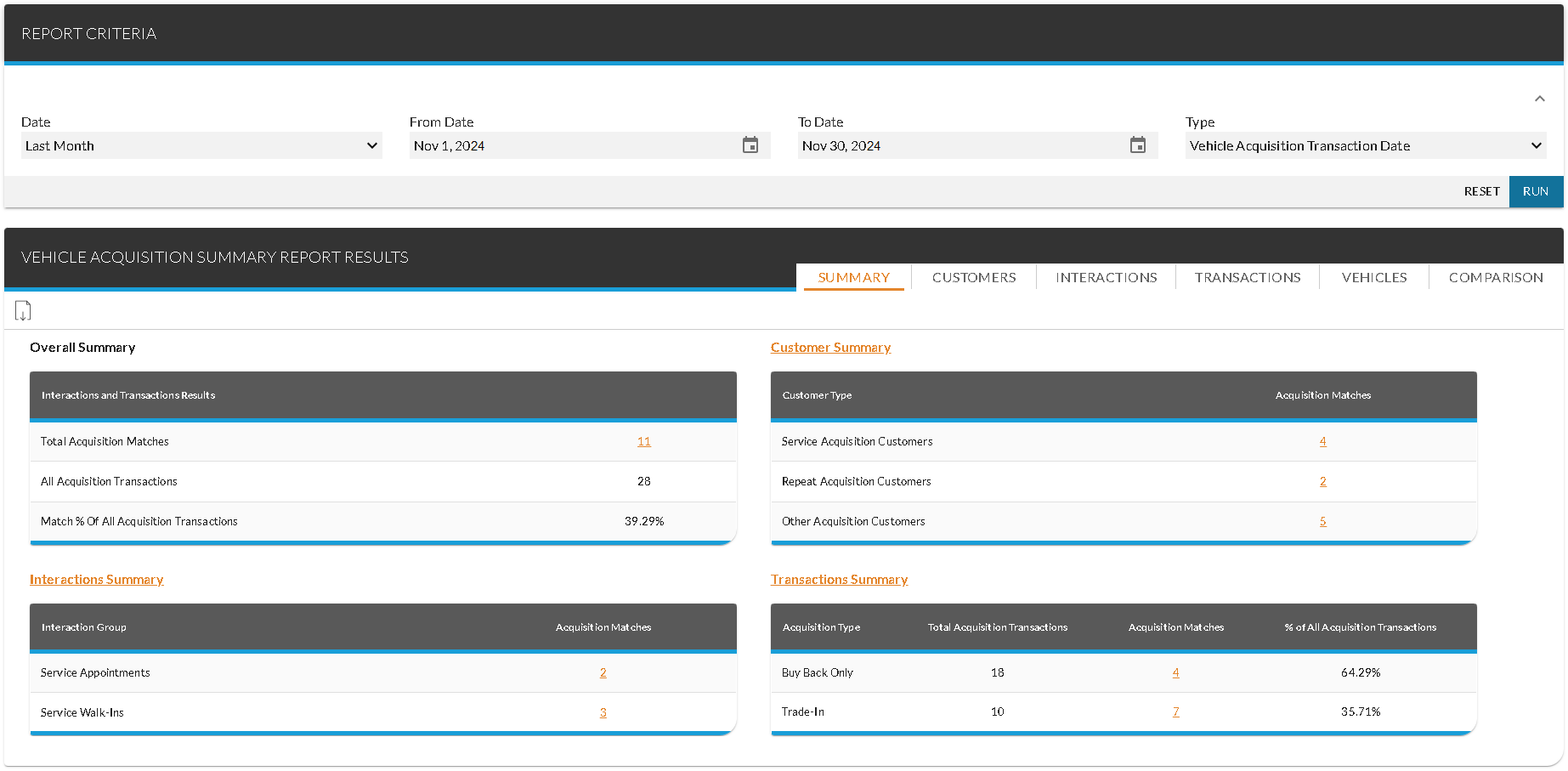
To request the Vehicle Acquisition Summary report, make entries in the fields on the Report Criteria panel and click the RUN button. The report displays on the Report Results panel.
Click here for a list of products that may be mentioned in this help file.